 Zi Studio · ProCharts
Business charts that stay editable in your slides
ProCharts adds 20 consulting-style chart types to ONLYOFFICE, Microsoft PowerPoint and WPS Presentation, including waterfalls, Mekko, Gantt and CAGR arrows. Each chart is built from native shapes, so it saves, exports and presents like everything else on the slide.
7-day free trial, no credit card · One-time payment, no subscription · Up to 3 computers · 14-day money-back guarantee
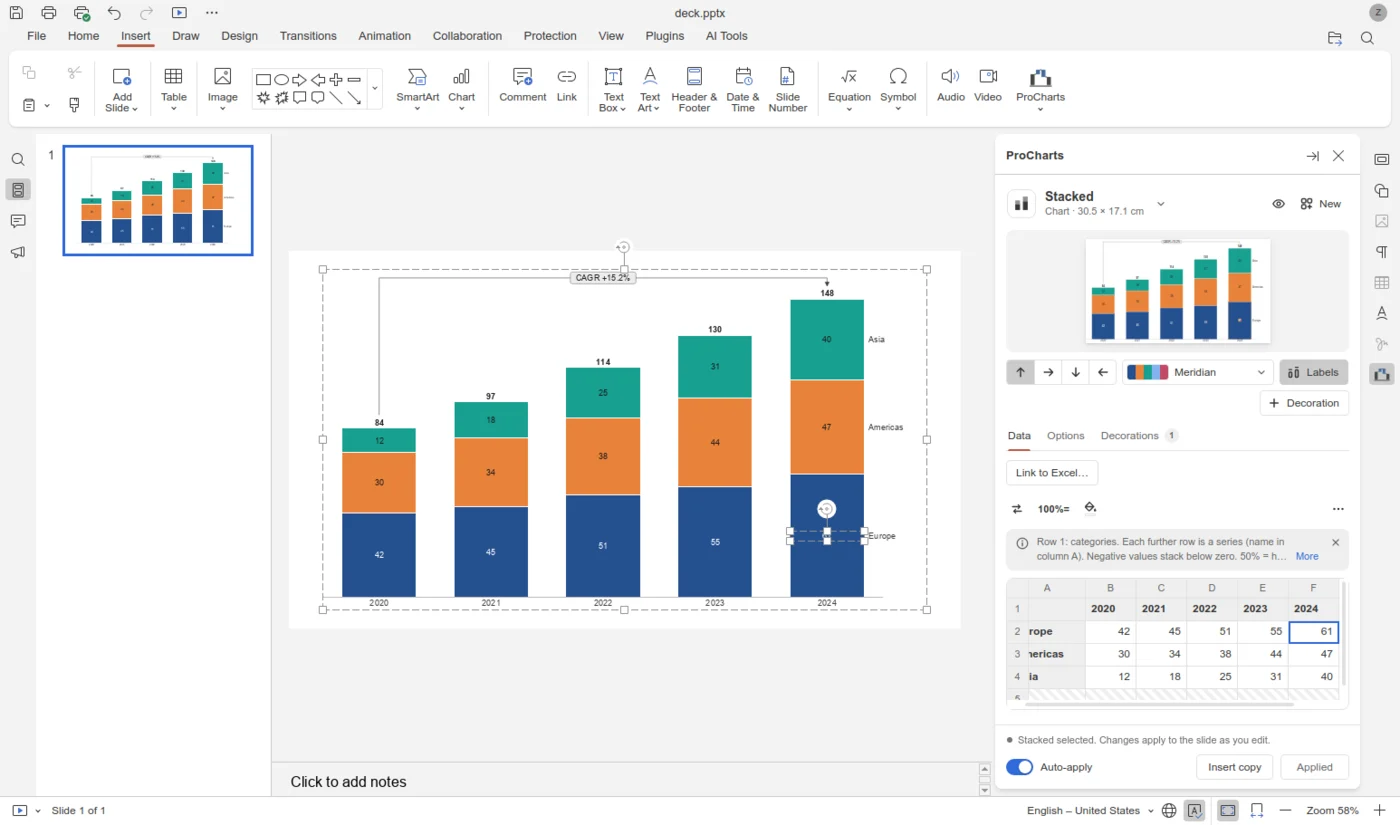
From blank slide to finished chart in three steps
1. Insert
Click ProCharts on the ribbon and choose a chart from the gallery. It lands on your slide with sample data, so you can see the layout right away.
2. Edit
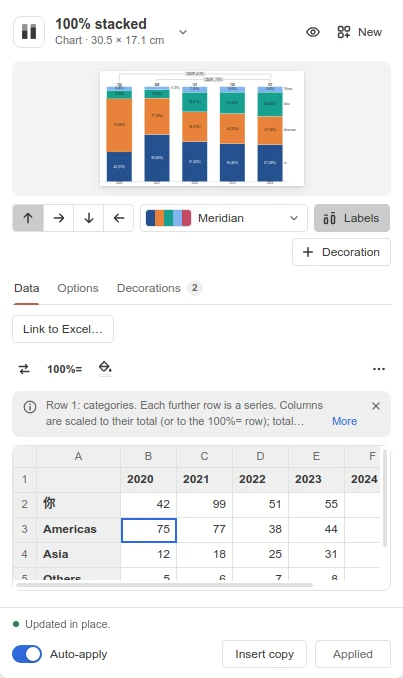
Type your numbers into the panel's data sheet, or type over a label directly on the slide. The chart redraws as you go. Select the chart later and the panel reopens with its data.
3. Make the point
Add CAGR arrows, difference arrows, value lines and axis breaks, then choose a colour scheme and number format. You end up with a finished slide, not a draft.
Built for people who present numbers
ProCharts covers the charts that business, finance and consulting decks use most, and keeps them editable until the last minute.
Native, editable shapes
Charts are groups of ordinary shapes. They save in your .pptx, export to PDF and animate like any other shape, and colleagues without ProCharts can still open and present them.
Data travels with the chart
The chart's data is stored inside your presentation, so you can come back next month, select the chart and keep editing.
Decorations that tell the story
CAGR arrows, difference arrows, level-difference arrows, value lines, axis breaks, series connectors and 100% indicators.
Layout control
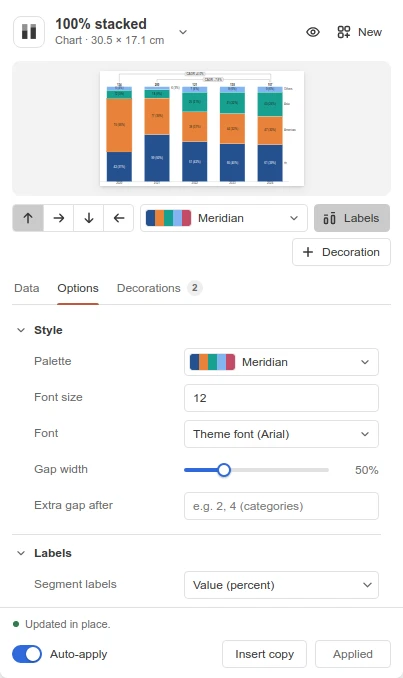
Four chart directions, the same scale across several charts, number formats, ready-made presets, and colour schemes that follow your presentation theme.
Your data stays on your computer
ProCharts draws every chart locally. Your numbers and documents are never uploaded. The only network traffic is a short license check (details).
English and 简体中文
The panel is available in English and Simplified Chinese, in light and dark themes. In ONLYOFFICE you can also link a chart to an Excel file and save or email selected slides.
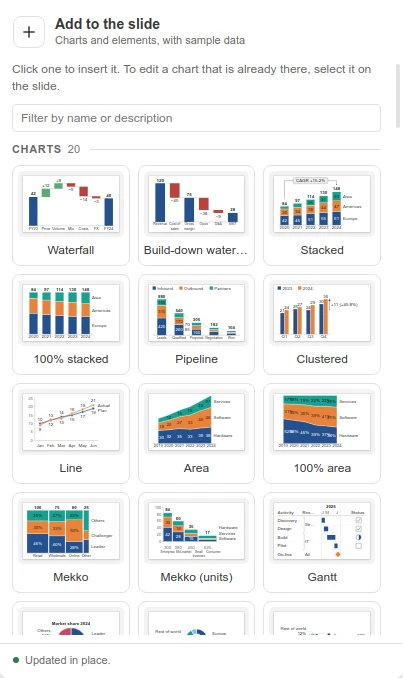
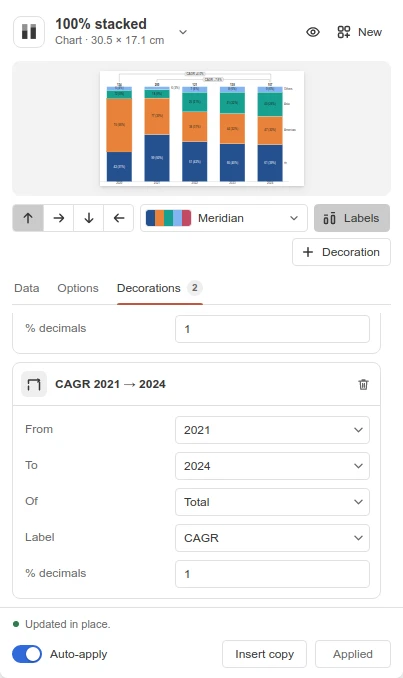
20 chart types, plus diagrams and status elements
Every image below was drawn by ProCharts and rendered in the ONLYOFFICE presentation engine.
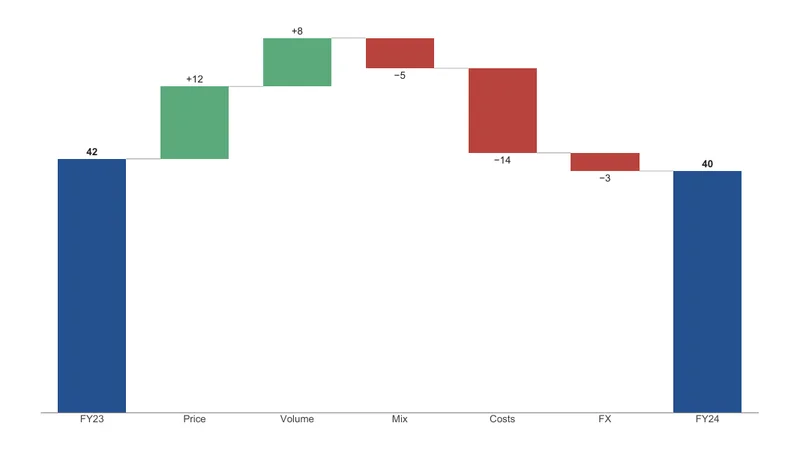
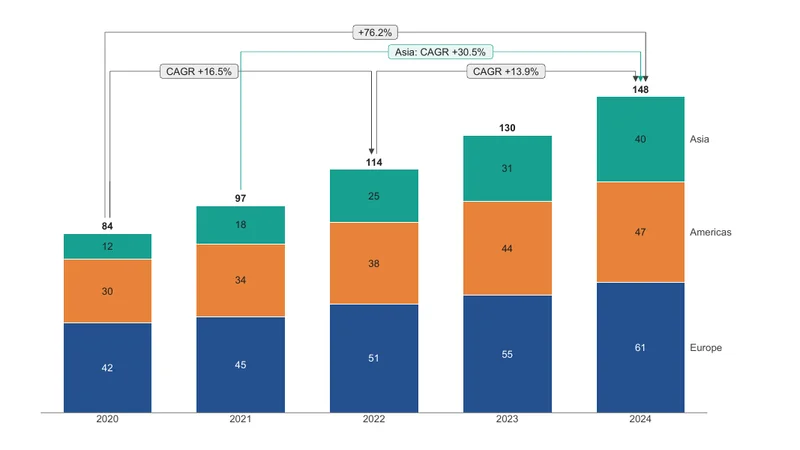
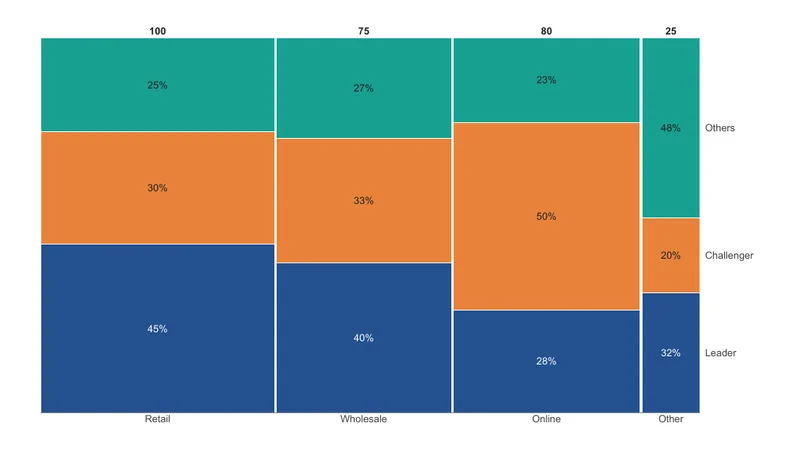
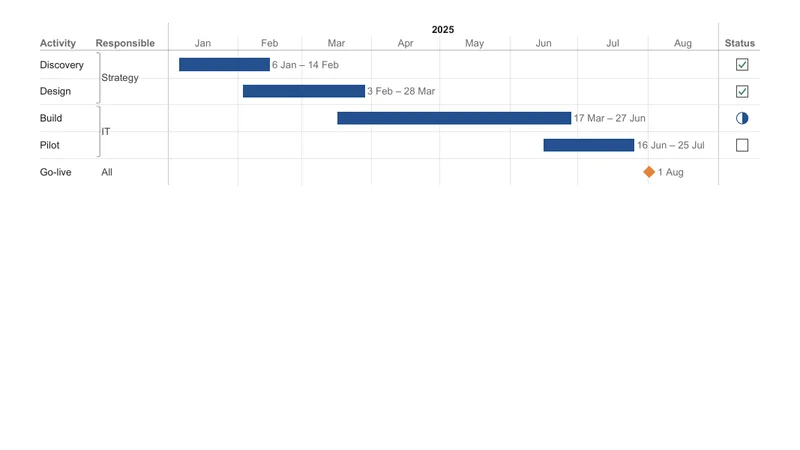
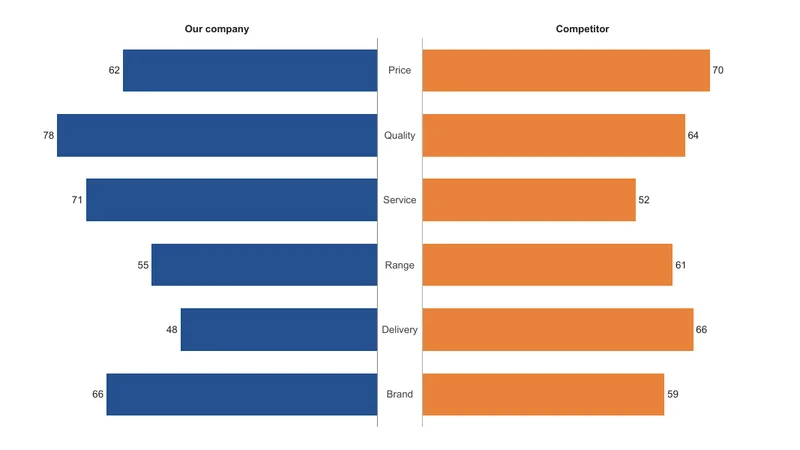
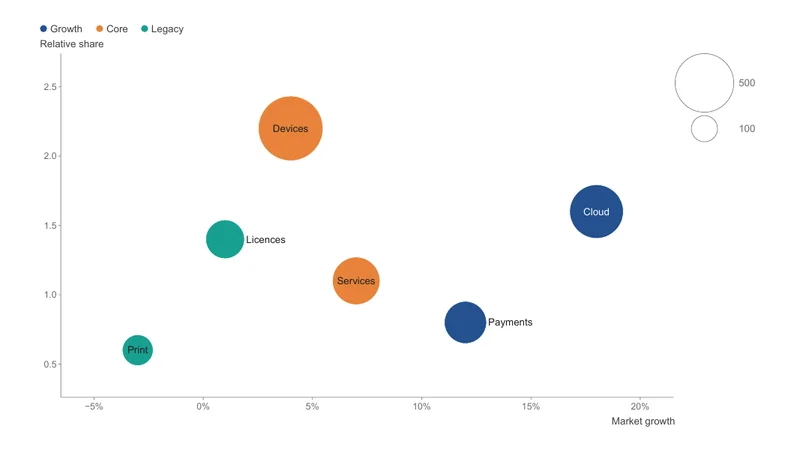
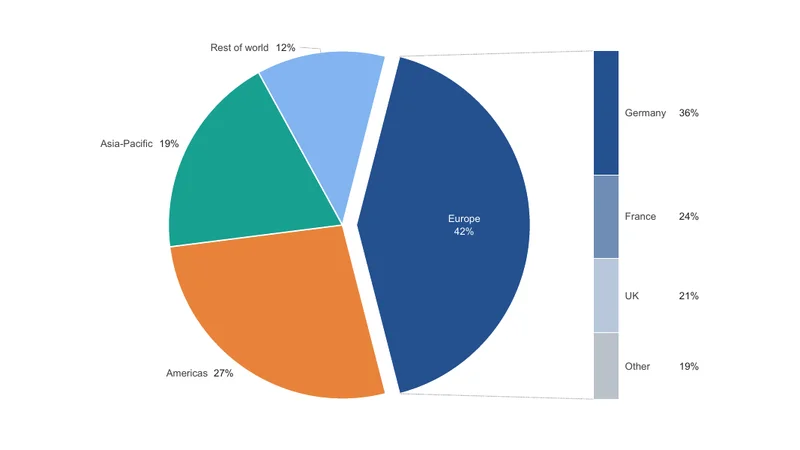
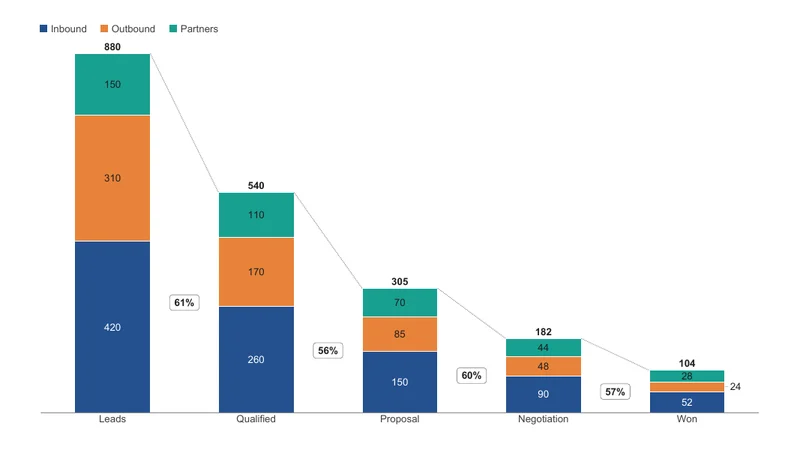
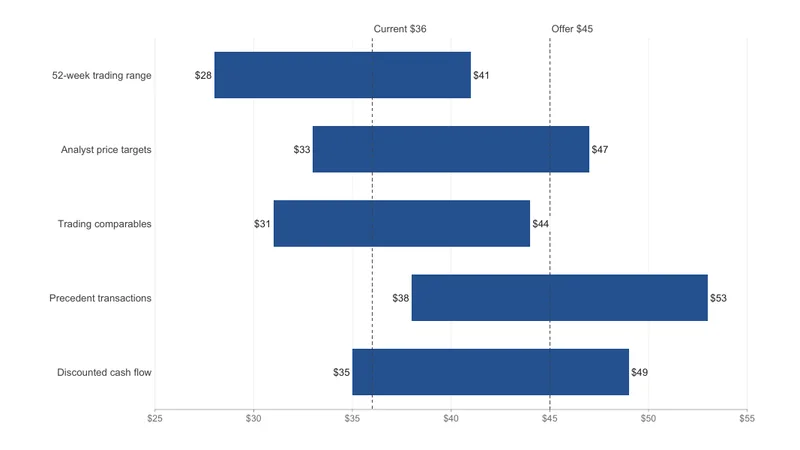
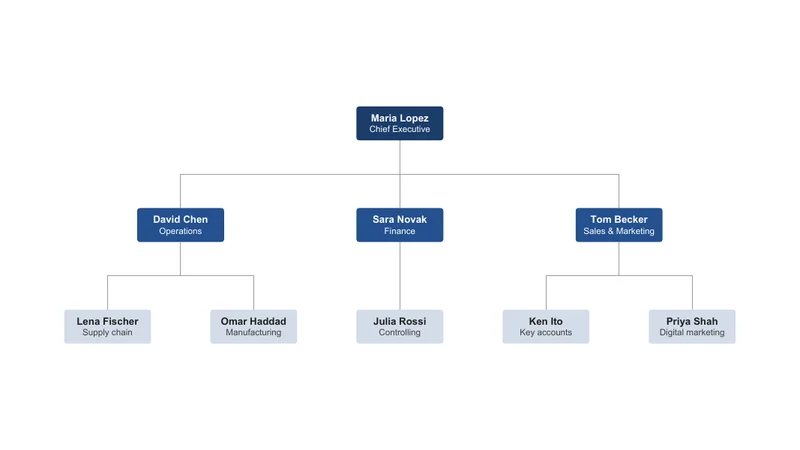
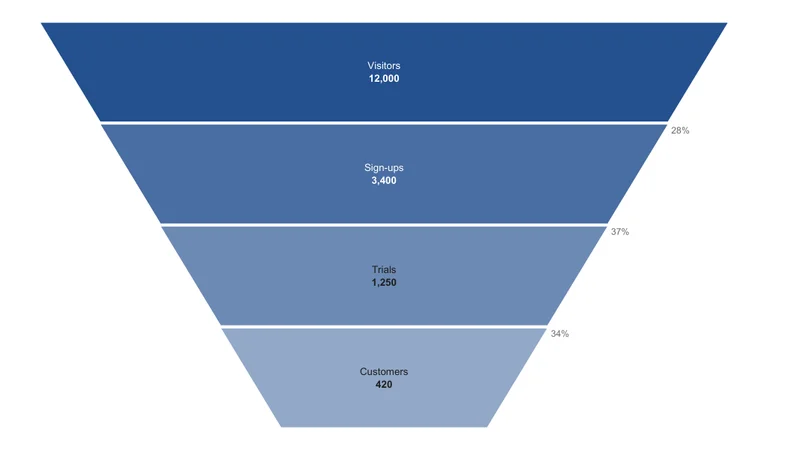
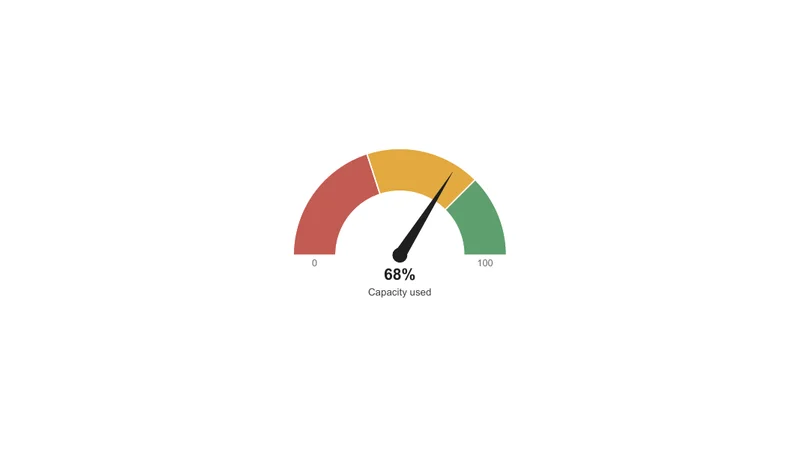
Charts (20)
- Waterfall
- Build-down waterfall
- Stacked
- 100% stacked
- Clustered
- Line
- Area
- 100% area
- Mekko
- Mekko (units)
- Pie
- Doughnut
- Butterfly
- Scatter
- Bubble
- Gantt
- Range bars
- Box plot & candlestick
- Bar of pie
- Pipeline
Diagrams, elements and status
- Org chart
- Timeline
- Matrix / SWOT
- Cycle
- Hub and spoke
- Pyramid
- Funnel
- Venn
- Table
- Agenda
- Process flow
- Harvey ball
- Checkbox
- Progress bar
- Ring gauge
- Dial gauge
- Thermometer
- Traffic light
- Rating
Works where you build your slides
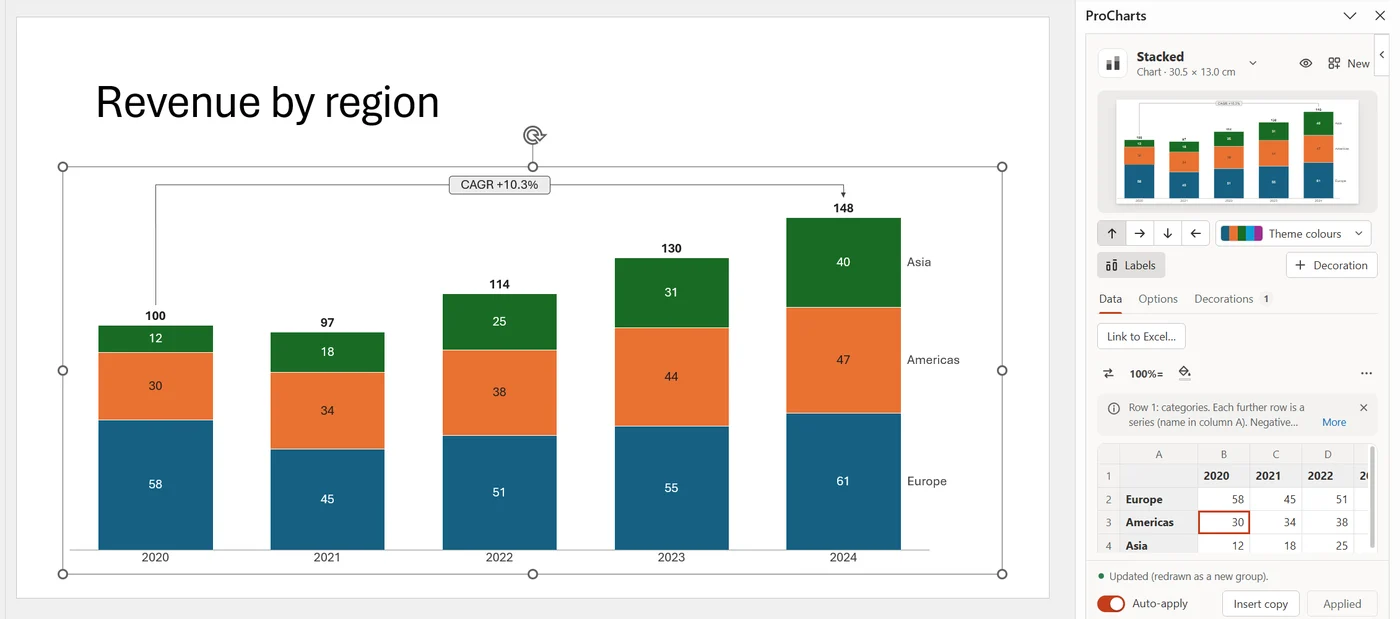
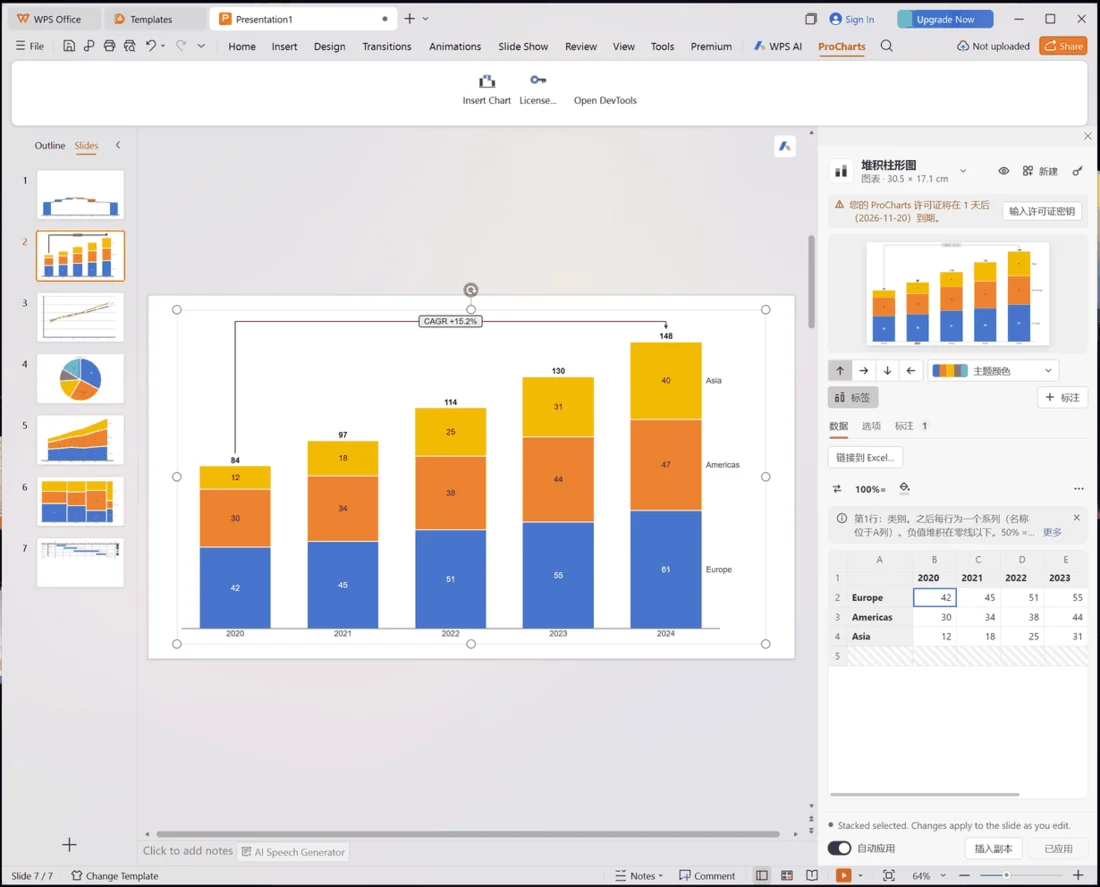
One license covers all three apps. ONLYOFFICE has the full feature set. The PowerPoint and WPS editions are in beta and don't have every feature yet. The table lists exactly what's missing.
| App | Operating system | Status | Good to know |
|---|---|---|---|
| ONLYOFFICE Desktop Editors version 10 or newer, presentation editor |
Windows, Linux, macOS | Full feature set | Installs into your user profile, no administrator rights needed. Works offline once activated. Email Slides attaches the file automatically on Linux. |
| Microsoft PowerPoint desktop app from Microsoft 365 |
Windows | Beta | Needs an internet connection each time the pane opens. Not yet available: native tables, agenda slides, Excel link, right-click menu, typing over labels. Editing redraws the chart, which removes animations on it. PowerPoint on the web and on Mac are not supported. |
| WPS Presentation WPS Office, international edition |
Windows | Beta | Needs an internet connection each time WPS starts. Same limitations as PowerPoint, and Save/Email Slides are not available. The mainland-China edition of WPS has not been tested yet. |
Pay once. No subscription.
Both licenses include every chart type, all three supported apps and email support. Neither one renews automatically.
Try it free for 7 days
Full features on 1 computer. No credit card, nothing to cancel. Your trial key arrives by email.
1-Year License
For one person, for 12 months from purchase.
- All chart types, diagrams and decorations
- ONLYOFFICE, PowerPoint and WPS editions
- Use on up to 3 of your computers
- All updates released during your year
- No automatic renewal: buy again only if you want another year
Lifetime License
For one person, with no expiry date.
- Everything in the 1-Year License
- Never expires
- All future updates of ProCharts
- Use on up to 3 of your computers
- Best value if you'll use ProCharts for more than two and a half years
Prices are in US dollars. Sales tax or VAT is calculated at checkout where it applies. Orders are processed by Creem, our online reseller and Merchant of Record, which handles payment, tax and invoices. Your license key is in the receipt email from Creem right after checkout, and you can find it again at any time in your Creem customer portal. Every order comes with a 14-day money-back guarantee. Buying for a team? Buy one license per person, or email support@zistudio.uk for 5 or more seats.
Install in about a minute
Download the edition for your app. Each zip contains a setup guide, an installer and an uninstaller. ProCharts asks for your license key the first time you open it.
ONLYOFFICE
- Download and extract the zip.
- Windows: double-click
install.cmd. Linux: run./install.sh. macOS: runbash install-mac.sh, or installprocharts.pluginvia Plugins › Plugin Manager. - Restart ONLYOFFICE and open a presentation. ProCharts is on the Insert and Plugins tabs.
PowerPoint (beta)
- Download and extract the zip on a Windows PC.
- Double-click
install.cmd. - Restart PowerPoint. The first time, go to Home › Add-ins › Developer Add-ins › ProCharts. After that, ProCharts has its own button on the Home tab.
WPS (beta)
- Download and extract the zip on a Windows PC.
- Double-click
install.cmd. - Restart WPS Presentation and click OK when it asks to trust the add-in. ProCharts gets its own ribbon tab.
Activation: paste the license key from your Creem receipt email into ProCharts. Activating needs an internet connection once. After that, ProCharts checks in about once a week, and the ONLYOFFICE edition keeps working offline for up to 30 days between check-ins. To move a license to another computer, choose Remove key on the old one.
A small studio that makes focused tools
Zi Studio is an independent software studio run by an individual developer in mainland China. We build small, focused tools for people who make business presentations. ProCharts is our first product.
We started ProCharts because good business charts, such as waterfalls, Mekko charts and Gantt timelines, are hard to build by hand, and the add-ins that do them well are expensive subscriptions that only work in Microsoft Office. ProCharts brings them to ONLYOFFICE and WPS as well, at a one-time price.
What we promise
- Honest pricing: one-time payments and no automatic renewals.
- Your documents stay yours. We never see your charts or your data.
- A real person answers support emails, within 2 business days, in English or Chinese.
- No questions asked if you want your money back within 14 days.
Contact
Support, sales and license questions: support@zistudio.uk
Questions people ask
Is there a free trial?
Yes. The trial gives you every feature for 7 days on 1 computer, with no credit card. Click Start free trial and enter your email on the checkout page of Creem, our reseller (price US$0, no payment). Creem then emails you a trial key. There is one trial per person and per computer. Trials can't be started with addresses from email-relay or disposable-email services, including iCloud addresses. If you buy later, every purchase also has a 14-day money-back guarantee.
What happens when the trial ends?
ProCharts stops inserting and editing charts, and nothing is charged. The charts you made stay in your files as ordinary shapes. Buy a license and paste the new key to continue.
What happens when a 1-Year License ends?
You are never charged again automatically. The charts you made stay in your files as ordinary shapes, and anyone can still open, present and export them. You just can't insert or re-edit ProCharts charts until you buy a new license. ProCharts reminds you 14 days before the end date.
Where do I find my license key?
In the receipt email from Creem, our reseller, which arrives a few minutes after checkout. Check your spam folder if you don't see it. The key is also in your Creem customer portal, linked from that email. Lost it? Email us with the address you bought with.
Do I need to be online?
Activating a key needs an internet connection once. The ONLYOFFICE edition then works offline and checks in about once a week, for up to 30 days between check-ins. The PowerPoint and WPS editions load from the web, so they need a connection each time they start.
Does ProCharts upload my data or documents?
No. Charts are drawn on your computer, and the chart data is stored inside your presentation file. ProCharts only contacts our license server to activate and renew your key, and it downloads a public list of revoked keys. See the Privacy Policy for exactly what is sent.
How many computers can I use?
Up to 3 at the same time, for the person named on the license. To switch computers, choose Remove key on the old one. A computer that hasn't been used for 45 days also frees its slot automatically.
Can I use ProCharts at work or for clients?
Yes. Both licenses allow commercial use. Each license is for one person, so a team needs one license per person.
Will colleagues without ProCharts be able to open my slides?
Yes. ProCharts charts are ordinary shapes. Anyone can open, present, print and export them. Only re-editing the chart's data needs ProCharts.
Which languages does ProCharts support?
The interface is available in English and Simplified Chinese. Support is available in both languages.
Is ProCharts made by Microsoft, ONLYOFFICE or Kingsoft (WPS)?
No. ProCharts is an independent product made by Zi Studio. It isn't affiliated with or endorsed by those companies.